
The Evolution of the Internet
Explore how connectivity changes expectations for learning and websites, then turn that idea into a clearer digital experience.

The development of the internet offers a reason to reconsider how we learn and present content on the web. The internet as infrastructure and the web as a system of linked pages are different concepts. This article connects technology with practical questions of access, clarity and application.
What does internet development tell us about user experience?
Compare two ways of defining a task. The example explains a process rather than reporting a verified result.
Example: two approaches
Add more content and visual effects without checking how people use them.
Choose one user task and check whether its content can be found, understood and used on a phone as well.
How can you review a digital experience?
The following steps form a proposed framework. Adapt them to your task and available information.
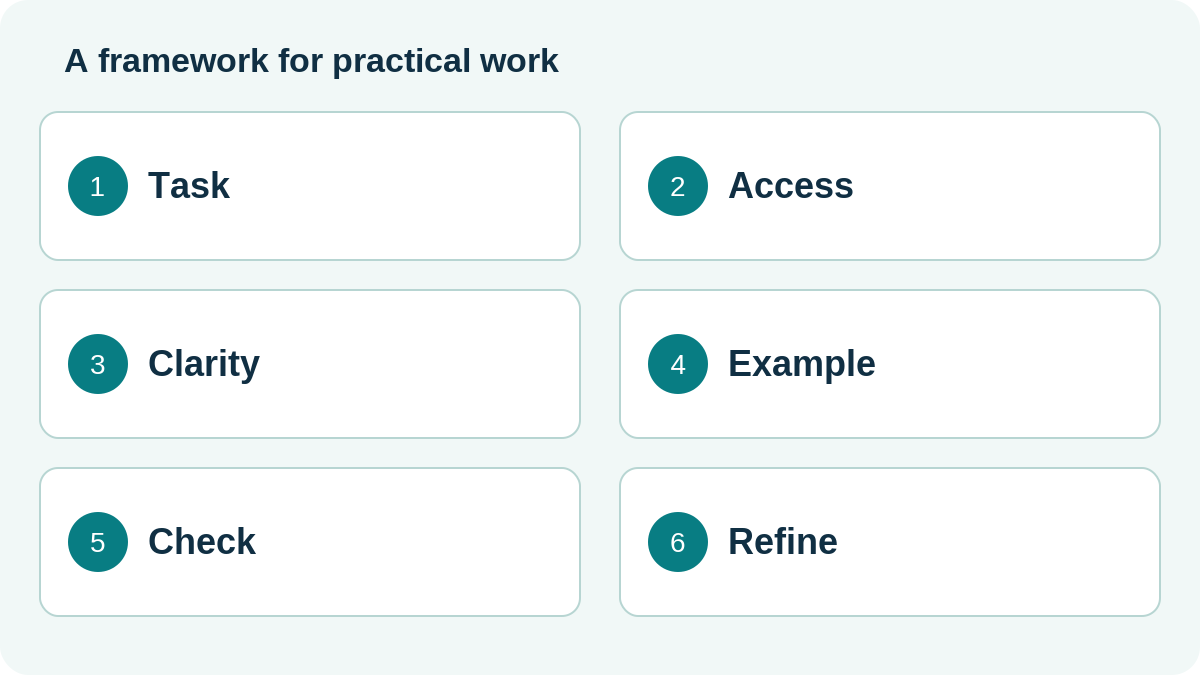
- Task. Define what the user wants to accomplish.
- Access. Check whether the content can be found and opened.
- Clarity. Review headings, the message and information order.
- Example. Show one concrete application.
- Check. Try the task at different screen widths.
- Refine. Remove an obstacle and repeat the check.
The website should look more modern.We will check whether a phone user can find a lesson, read its introduction and identify the next action without horizontal scrolling.What does this mean for learning and web design?
Developing connectivity
The original article uses the move from telephone connections to modern networks as an illustration of change. The image is a conceptual workspace, not a technical comparison of devices, speeds or providers.
Finding content
When reviewing learning material or a website, first check whether a person can reach the content they need. Use descriptive headings and understandable links.
Understanding the next action
An introduction should explain the topic and the intended use of the article. Separate sections, examples and actions so readers can follow the flow.
Connecting learning with practice
The MLV method Recognize – Experience – Understand – Apply – Become is presented here as the brand's framework for reflecting on learning. It does not guarantee an educational or personal outcome.
Reviewing a website on a phone
Check whether the same content and main task remain available on a smaller screen. Include headings, images, navigation, fields and keyboard use in the review.
Distinguishing education from services
Find MLV learning content, programs and the podcast on the MLV domains. For website development or another digital solution, visit Yevt Digital and review its current service descriptions.
Practical example: a lesson on a phone
Illustrative example: you are editing a short lesson page. The aim is a clear reading flow, not promised traffic growth or a measured network speed.
- Choose a lesson. Open one lesson page on a phone.
- Find the starting point. Check whether the title and introduction explain the topic.
- Review the structure. Follow the subheadings and check whether image descriptions are useful.
- Try the action. Find the suggested exercise or next step.
- Record an obstacle. Describe where the flow is unclear and check one correction.
Common mistakes in digital experiences
- Treating the internet and the web as the same concept.
- Presenting a connection's nominal speed as a guarantee of website experience.
- Adding long texts without clear headings and information order.
- Testing only desktop use, without a phone or keyboard.
How can you continue learning and developing a website?
Meta Life Vision on both .rs and .com provides educational content, programs and a podcast. Website development and digital services are offered through Yevt Digital. Choose the next step according to whether you want to learn or develop a digital project.
Websites and digital solutions:
Frequently asked questions
Are the internet and the web the same?
No. The internet connects networks; the web uses that connectivity to access linked documents and other content.
Does a faster connection solve every website problem?
No. Content clarity, structure, images, code and the user's task still need to be reviewed.
What should I check on a phone first?
Whether the main task can be completed, text can be read, and navigation and controls can be used.
How does this relate to learning?
The practical goal is similar: find content, understand it and connect it to a next action.
Where is MLV educational content available?
On the Meta Life Vision website, through programs, the blog and the podcast, subject to actual availability.
Where are website development services available?
On the Yevt Digital website, through its service descriptions and contact page.
Conclusion
Technology development is a useful reason to review an experience, but people still need a clear task, understandable content and a usable next action. Start with one page and test its actual flow.
Sources for technical verification
About Meta Life Vision
Meta Life Vision is an educational brand within Yevt Group. YEVT DIGITAL works on the Meta Life Vision website and provides website development and other digital solutions.